
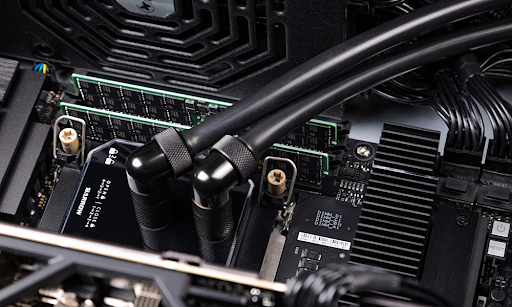
Choosing the wrong server hardware can lead to serious issues and significant losses down the line—from total infrastructure downtime to a costly upgrade that may halt all business operations. Let’s figure out how to select the right server for your specific goals and tasks to avoid unpleasant consequences. Helping us is HYPERPC, a Russian manufacturer of high-end server equipment.
Table of Contents
Defining Your Tasks: The First Step in Server Selection
Before anything else, define what you need the server for and what workloads it must handle. Broadly speaking, server hardware can be grouped into five categories:
- File servers and NAS systems – Prioritize storage capacity, speed, and backup functionality.
- Virtualization servers (Hyper-V, VMware, Proxmox) – Focus on CPU performance and the number of cores.
- Web and application servers – Everything matters here: CPU power, RAM size, storage speed, etc.
- HPC and machine learning – Priority goes to graphics accelerators: their quantity, VRAM, and GPU performance.
- Database servers (PostgreSQL, Oracle, MS SQL) – Require a large amount of RAM and high-speed storage.
Once your primary use case is clear, consider the following:
- What performance level do you expect?
- Will you need to scale the infrastructure in the future?
- Are you integrating the new server into an existing system?
Only after answering these questions should you proceed to select the components.
Choosing the Right Components
A server is just a set of components—and its performance and functionality depend entirely on them.
- Processor (CPU) – For virtualization, choose multi-threaded models like AMD EPYC or Intel Xeon. For specialized workloads, look for CPUs that support AVX, VNNI, and high clock speeds.
- RAM – Always use ECC (Error-Correcting Code) memory. The capacity depends on your use case: from 32 GB for mail servers to hundreds of gigabytes for databases or high-performance computing clusters.
- Storage (SSD or HDD) – Use NVMe SSDs for databases due to their extremely high speeds. Use HDDs for backups and archival storage.
- Network Adapters – 10G Ethernet is becoming the standard, especially in virtualized or clustered environments. For advanced workloads, consider InfiniBand or RDMA.
- Graphics Cards (GPU) – Needed only for AI workloads, rendering, or VDI. Choose server-grade GPUs with CUDA support, tensor cores, and large VRAM.
Conclusion
To avoid mistakes when choosing server hardware:
- Define your use case: file storage, virtualization, databases, web applications, or high-performance computing.
- Estimate your expected load, scalability plans, and integration needs with existing infrastructure.
- Choose your CPU based on your workload: multi-threaded for virtualization, high-frequency and instruction support for specialized operations.
- Install only ECC server-grade memory, and plan for future expansion.
- Use high-speed NVMe SSDs for OS and data storage, and HDDs for backup and archiving.
- Ensure high network bandwidth—10G Ethernet is now standard.
- Choose GPUs only if your server is used for AI, rendering, or virtual desktop infrastructure (VDI).







